Ttareungyi for Tourists: Rent a Seoul Bike and Ride the Han River Paths

Ttareungyi (Seoul Bike) has a tourist path built in: the app's start screen has a Foreigner button that opens English pages, and its purchase screen takes an email address and a card issued outside Korea. Everything below comes from the official site www.bikeseoul.com, opened in English mode on 2026-10-03 — the "QR bike User Guide" and the fare page 「이용권 사용안내」. The guide's app illustrations are quoted below, along with two screens from the app itself (Korean view) and photos of a rental station and the bike's QR terminal.
| Item | What the official screens say |
|---|---|
| Entry path | Start screen: 회원 (member) / 비회원 (non-member) / Foreigner |
| Card | Credit cards issued outside Korea only |
| Non-member passes | Day pass 1 hour 1,000 won / 2 hours 2,000 won |
| Fare table also lists | 3-hour pass 3,000 won (not on the non-member screen) |
| Over basic time | 200 won per 5 minutes |
| Pass period | Counted from the first rental, not purchase |
| Refund | Day passes are non-refundable |
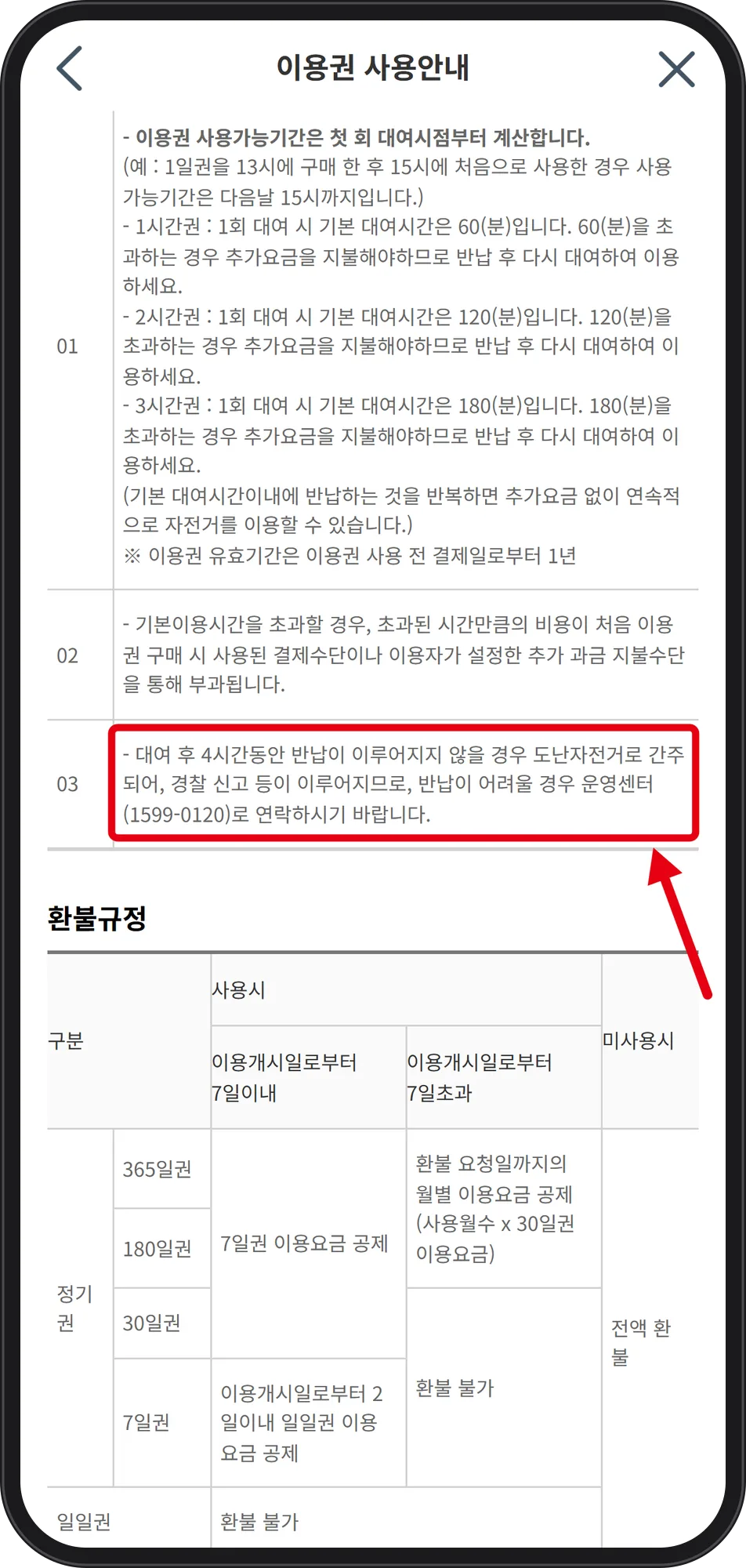
| Not returned in 4 hours | Treated as stolen; call 1599-0120 |
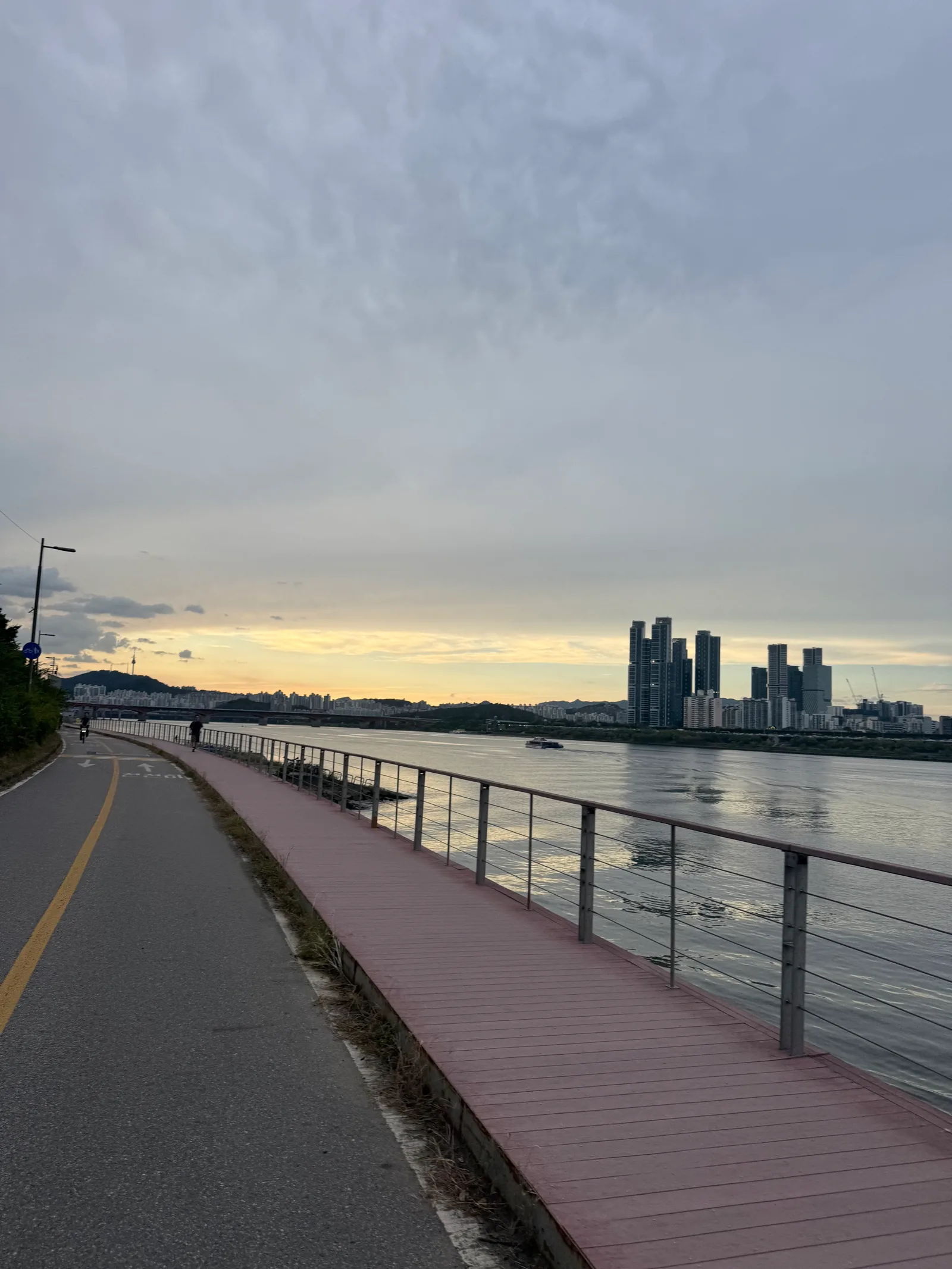 Photo: Bambi (bambiblog.com)
Step 1. Tap "Foreigner" on the app's start screen
Step 1 of the official guide is to download the 서울자전거 (Seoul Bike) app. Its start screen shows three buttons: 회원 (member), 비회원 (non-member) and Foreigner.
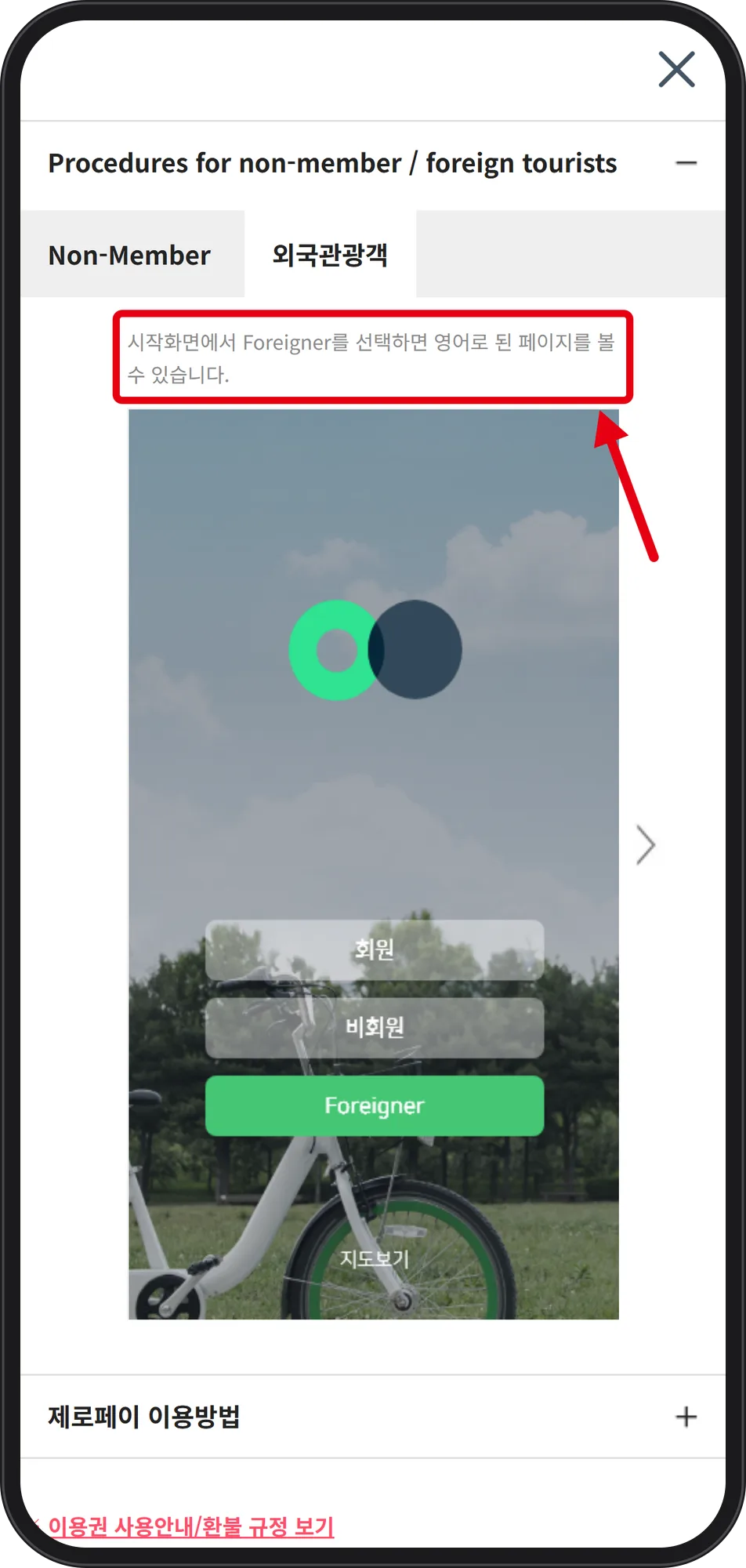 Source: www.bikeseoul.com (captured Oct 3, 2026)
The boxed line reads "시작화면에서 Foreigner를 선택하면 영어로 된 페이지를 볼 수 있습니다" — selecting Foreigner shows English pages. Chinese and Japanese are available under 메뉴 > 설정 > Language (menu > settings). Note that bikeseoul.com opens on a station map, so the guide menu has to be opened separately.
Step 2. Choose the payment method first, pass second
On the Foreigner path, the payment method is selected before the pass.
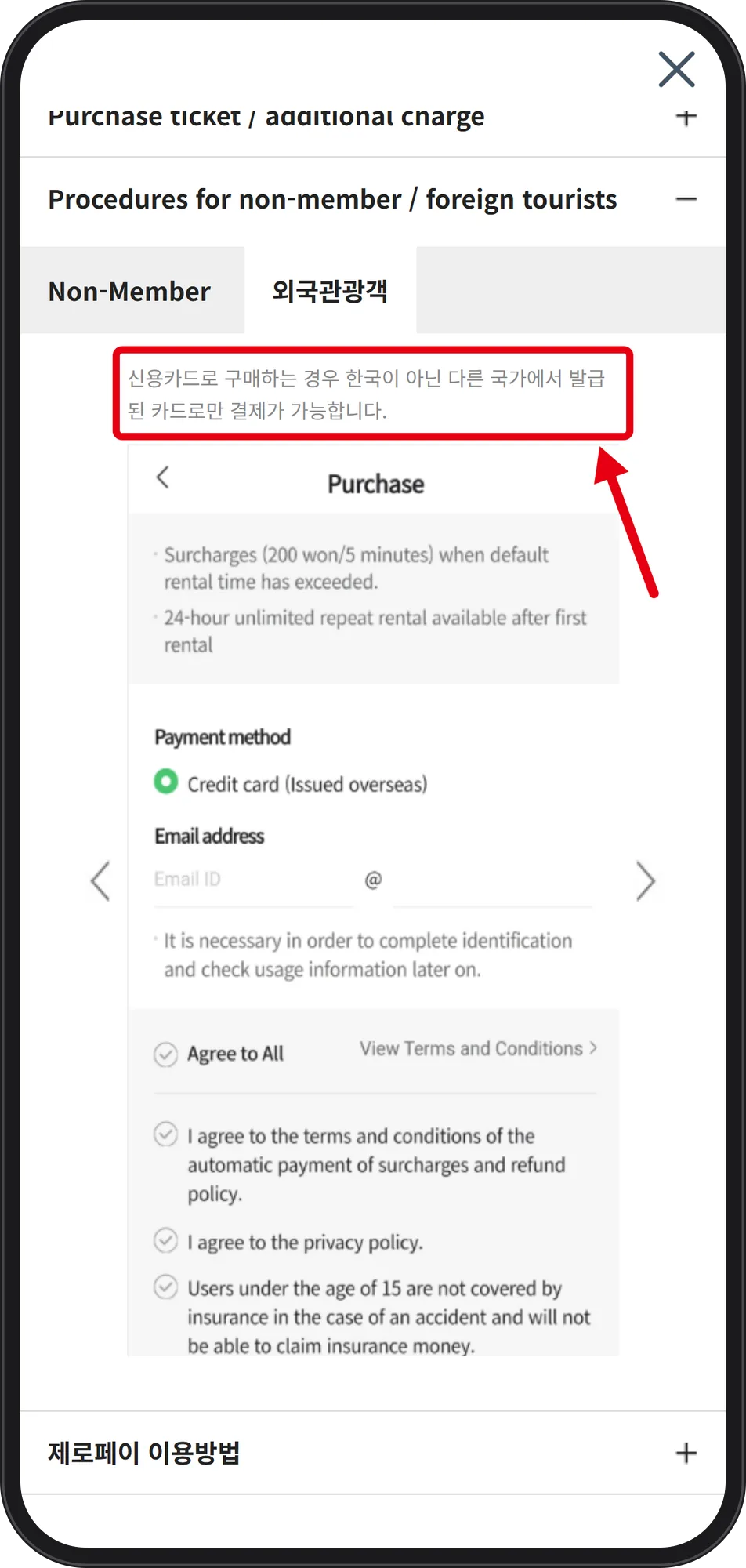 Source: www.bikeseoul.com (captured Oct 3, 2026)
The boxed line: "신용카드로 구매하는 경우 한국이 아닌 다른 국가에서 발급된 카드로만 결제가 가능합니다" — only cards issued outside Korea can be used. The Purchase screen shows Payment method "Credit card (Issued overseas)" and an Email address field (Email ID + @). Printed on the same screen: "Surcharges (200 won/5 minutes) when default rental time has exceeded", "24-hour unlimited repeat rental available after first rental", and a consent line that users under 15 are not covered by insurance and cannot claim insurance money. With Discover Seoul Pass you enter the voucher number and can buy only one pass. The fare page lists mobile phone, credit card, PAYCO, KakaoPay, ZeroPay and Discover Pass (foreigners only).
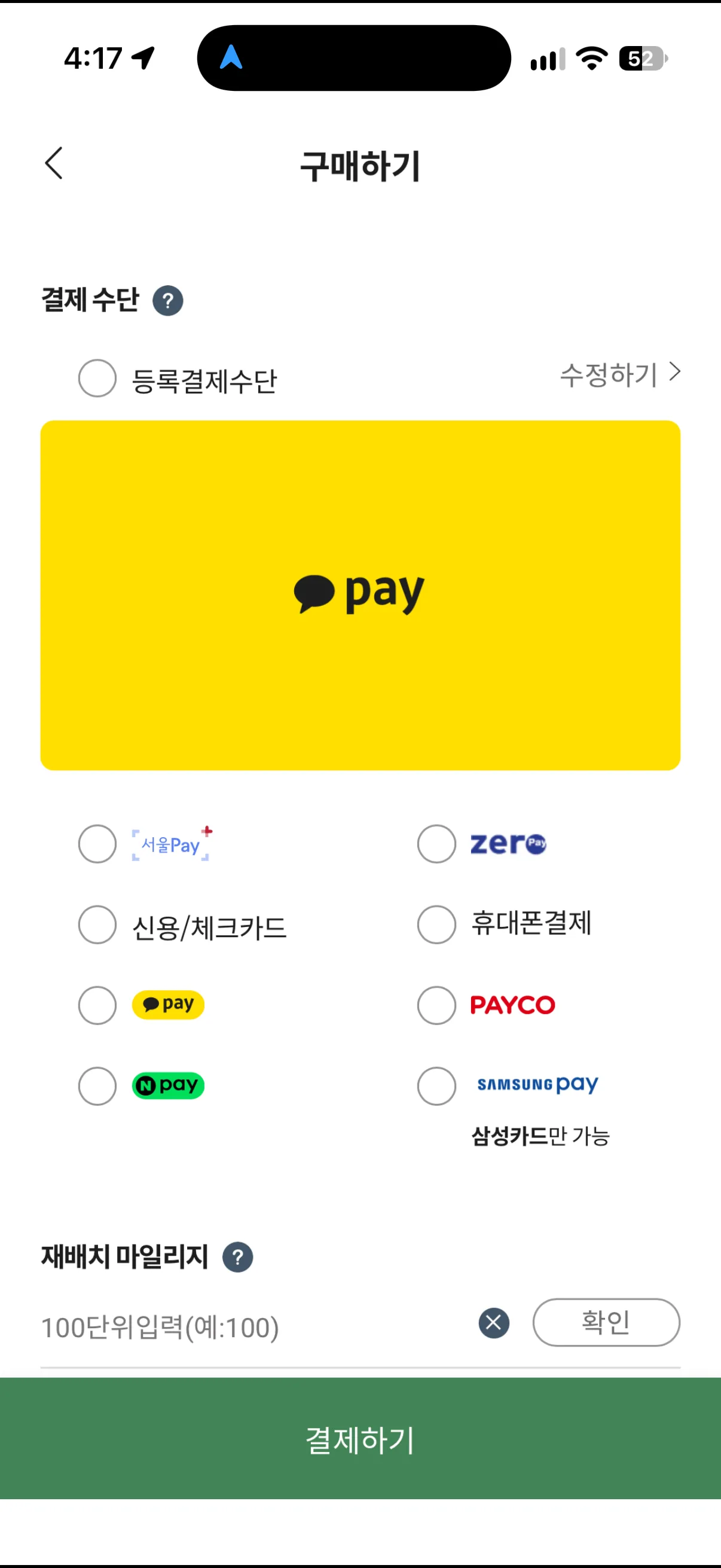 Screenshot: Seoul Bike app, Korean view (by Bambi)
For comparison, this is the app's own 구매하기 (purchase) screen in the Korean view. It lists 카카오페이 (Kakao Pay), 서울Pay+, 제로페이 (ZeroPay), 신용/체크카드 (credit/check card), 휴대폰결제 (mobile phone payment), PAYCO, 네이버페이 (Naver Pay) and Samsung Pay marked 삼성카드만 가능 (Samsung cards only). These are mostly Korean payment services — on the Foreigner path, the guide shows "Credit card (Issued overseas)" instead.
Step 3. Pick a day pass — non-members only see 1 and 2 hours
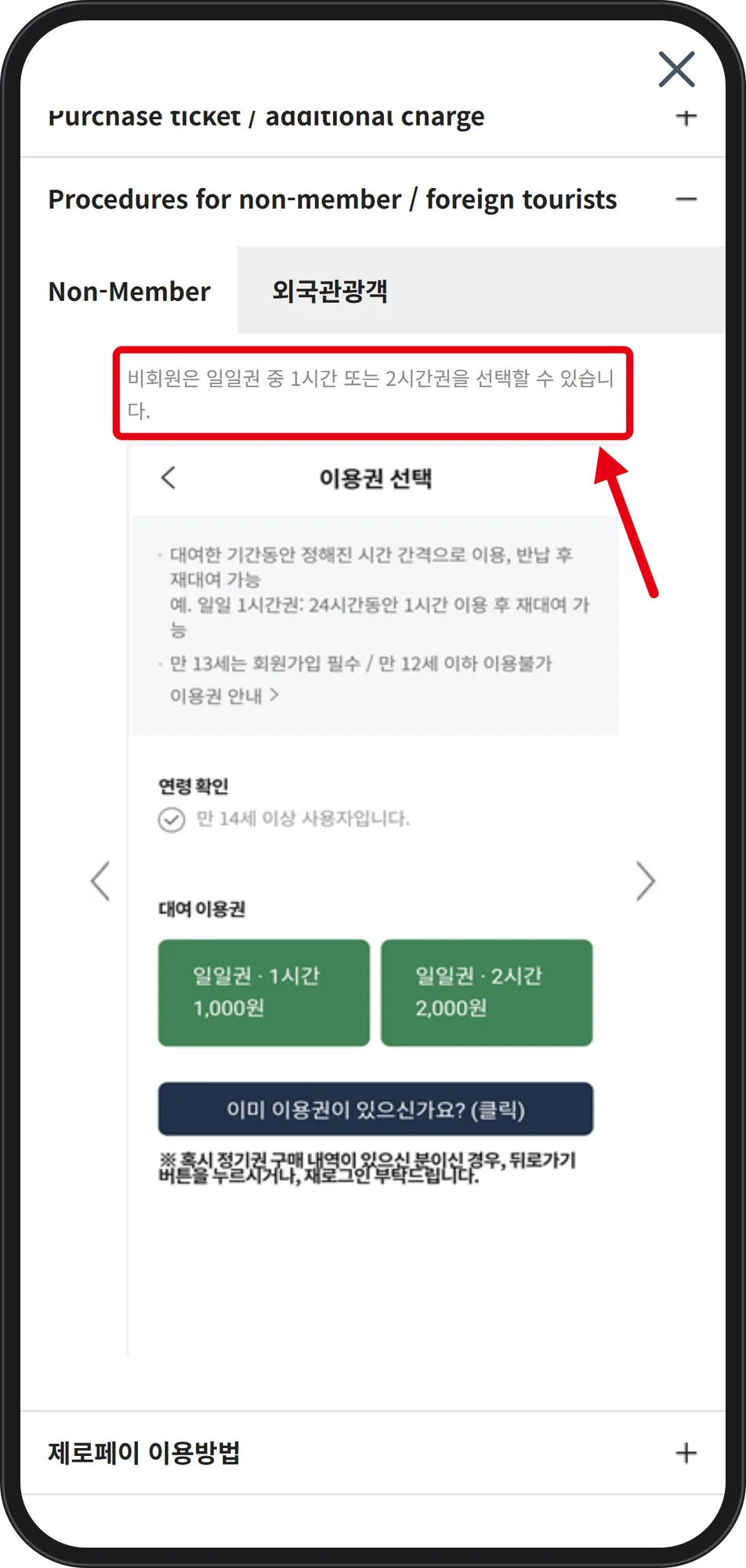 Source: www.bikeseoul.com (captured Oct 3, 2026)
The boxed line: "비회원은 일일권 중 1시간 또는 2시간권을 선택할 수 있습니다" — non-members may choose only the 1-hour or 2-hour day pass. The two green buttons read 일일권·1시간 1,000원 and 일일권·2시간 2,000원. The 3-hour day pass exists on the fare table but is not offered here. Age rules on the same screen: 만 13세는 회원가입 필수 (age 13 must join as a member), 만 12세 이하 이용불가 (age 12 and under cannot ride), and a confirmation box "만 14세 이상 사용자입니다" (I am 14 or older). The screen's example: with a 1-hour day pass you can ride for an hour, return, and rent again during the 24 hours. Day passes are non-refundable.
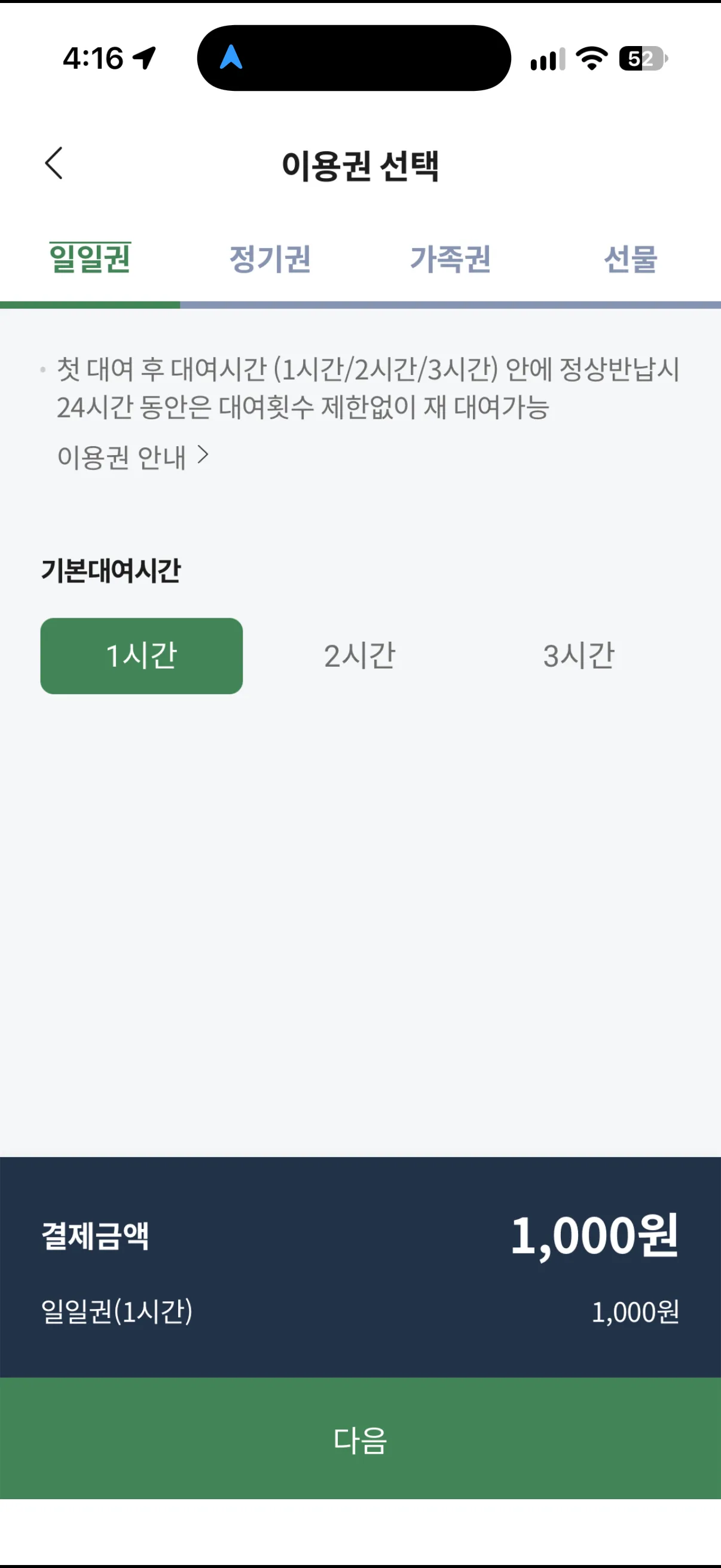 Screenshot: Seoul Bike app, Korean view (by Bambi)
In the app itself, the 이용권 선택 (pass selection) screen opens on the 일일권 (day pass) tab. With 기본대여시간 (basic rental time) set to 1시간, the bottom bar shows 결제금액 1,000원 — 1,000 won for the 1-hour day pass. The note at the top repeats the rule: return within 1, 2 or 3 hours and you can rent again as often as you like for 24 hours.
Step 4. Read the time rules before the meter starts
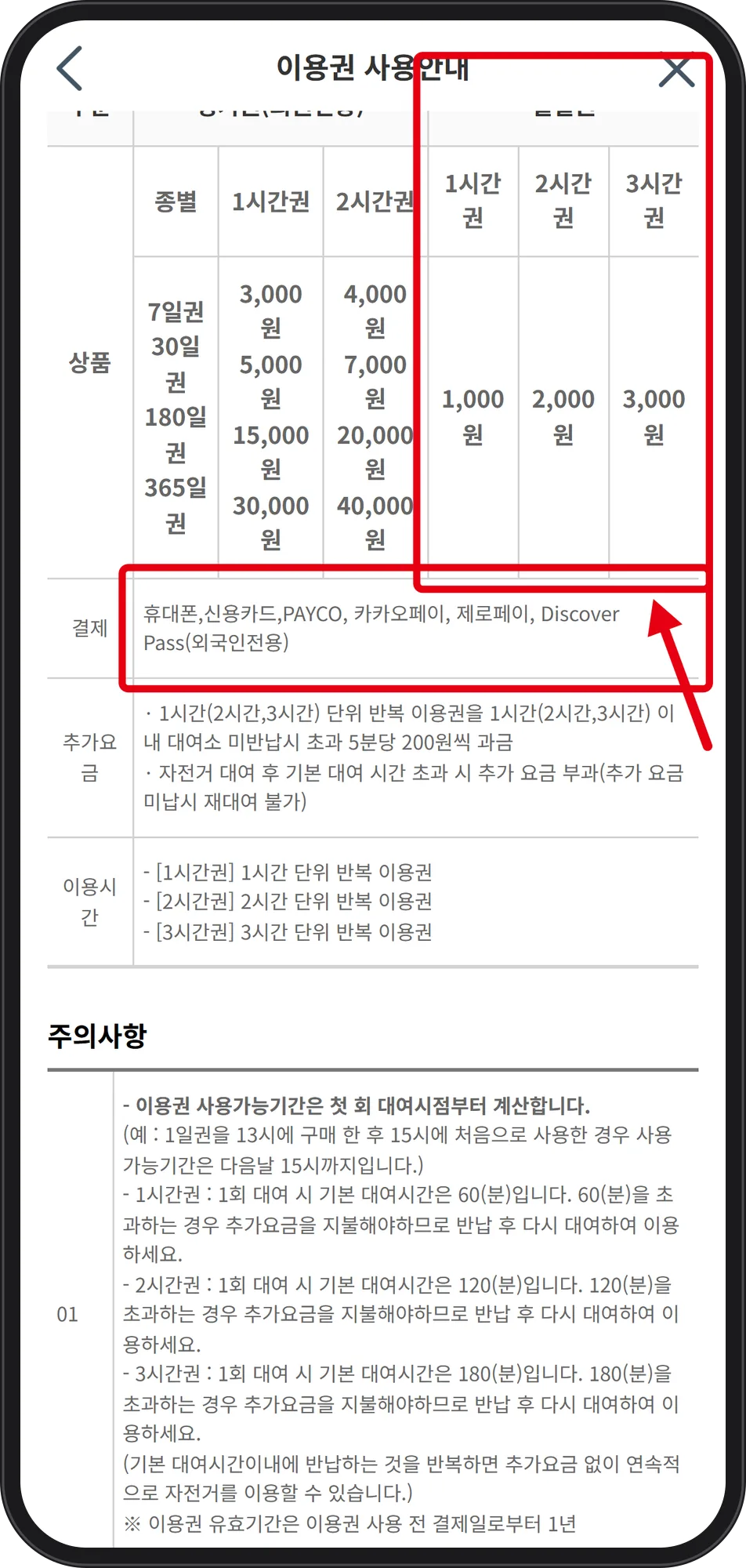 Source: www.bikeseoul.com (captured Oct 3, 2026)
The boxed column: 1시간권 1,000원 / 2시간권 2,000원 / 3시간권 3,000원. Period passes (7, 30, 180, 365 days) are member-only. Basic rental per trip is 60 minutes on the 1-hour pass, 120 on the 2-hour, 180 on the 3-hour; beyond that, 200 won per 5 minutes. The page's own advice is to return and rent again within the basic time to keep riding without surcharge. An unpaid surcharge blocks further rental, and no discount applies to it. The period runs from the first rental: a day pass bought at 13:00 and first used at 15:00 lasts until 15:00 the next day.
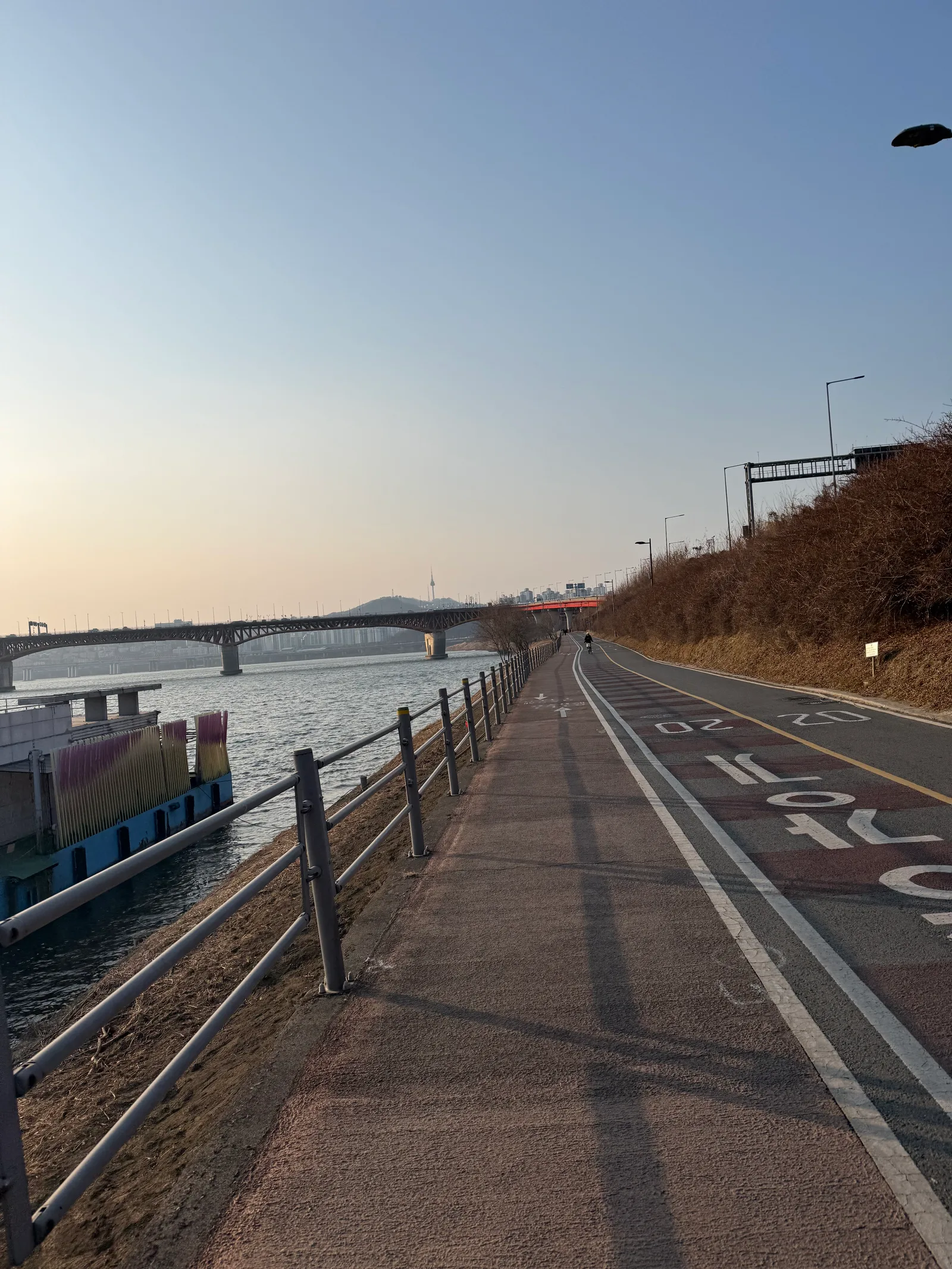 Photo: Bambi (bambiblog.com)
Step 5. Scan the QR, and watch the 4-hour line
The guide's rental flow: tap the rental button in the app, then scan the QR code on the bike.
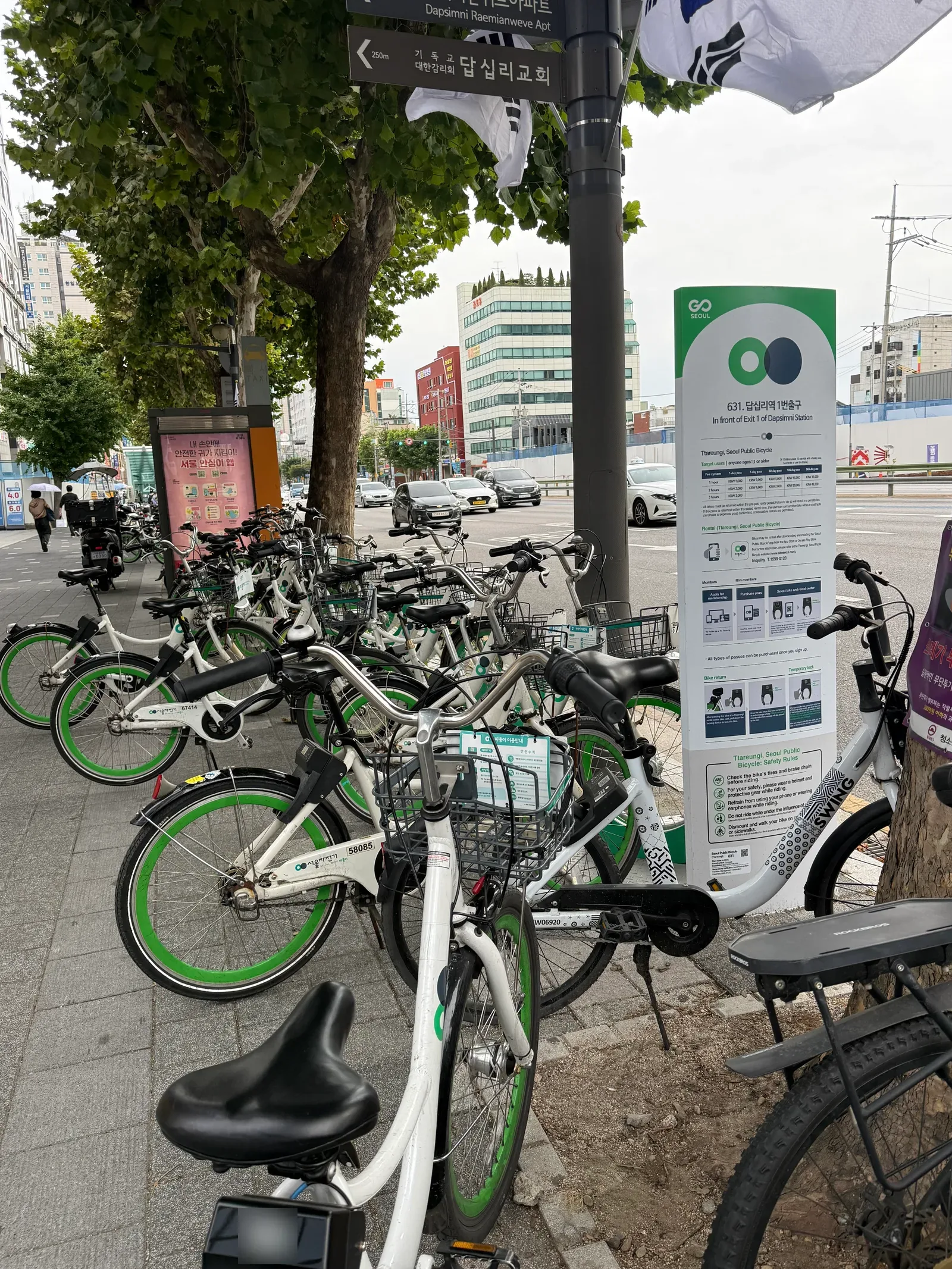 Photo: Bambi (bambiblog.com)
Bikes wait at numbered rental stations. This one's sign reads 「631. 답십리역 1번출구 / In front of Exit 1 of Dapsimni Station」, and the board beside the bikes, headed "Ttareungi, Seoul Public Bicycle", lists "Fee system 1-day pass KRW 1,000" and "Inquiry T.1599-0120".
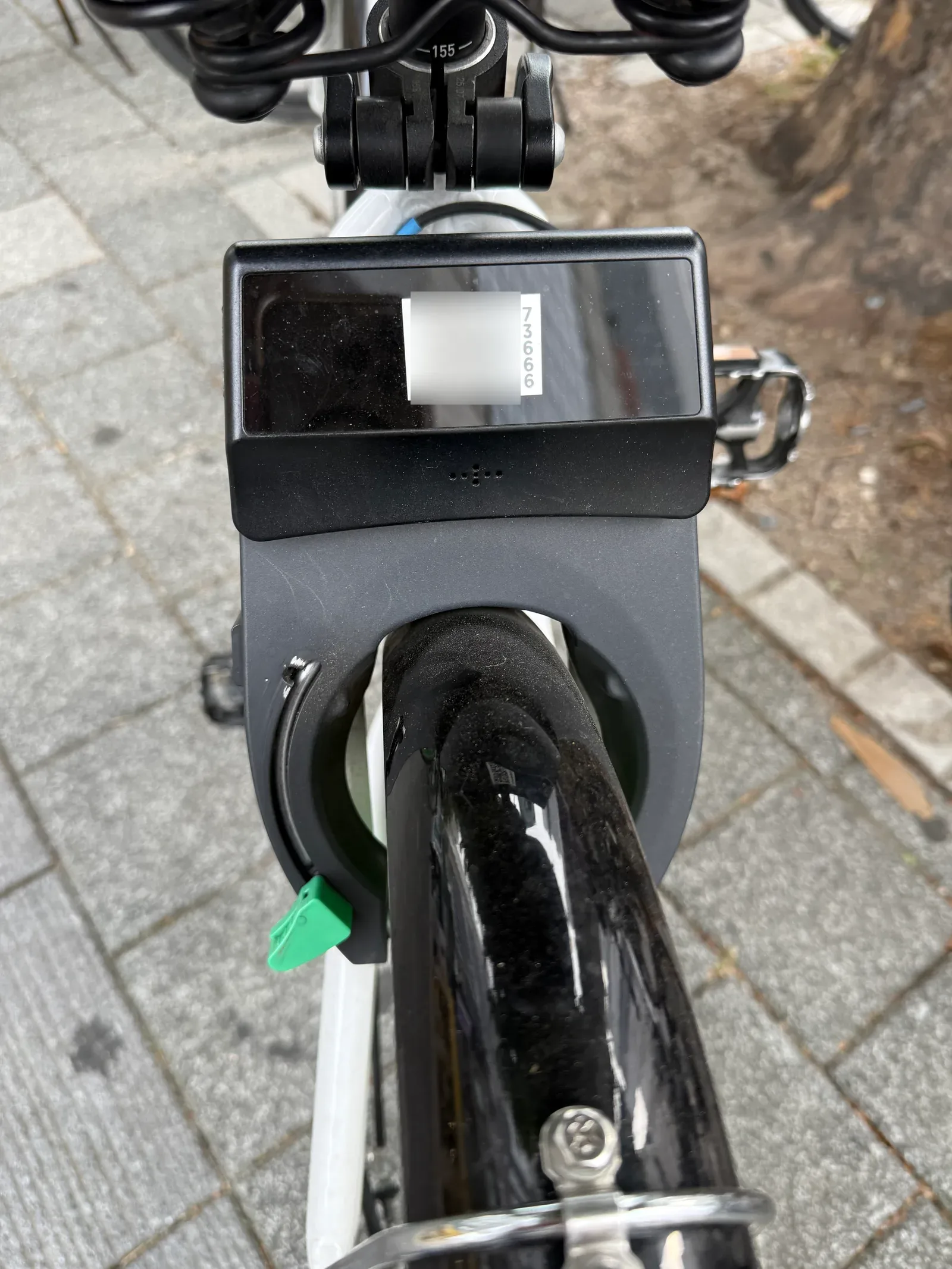 Photo: Bambi (bambiblog.com) — QR code blurred
The QR code you scan sits on the terminal at the back of the bike, beside the bike number. It is blurred in this photo so it cannot be scanned from the page.
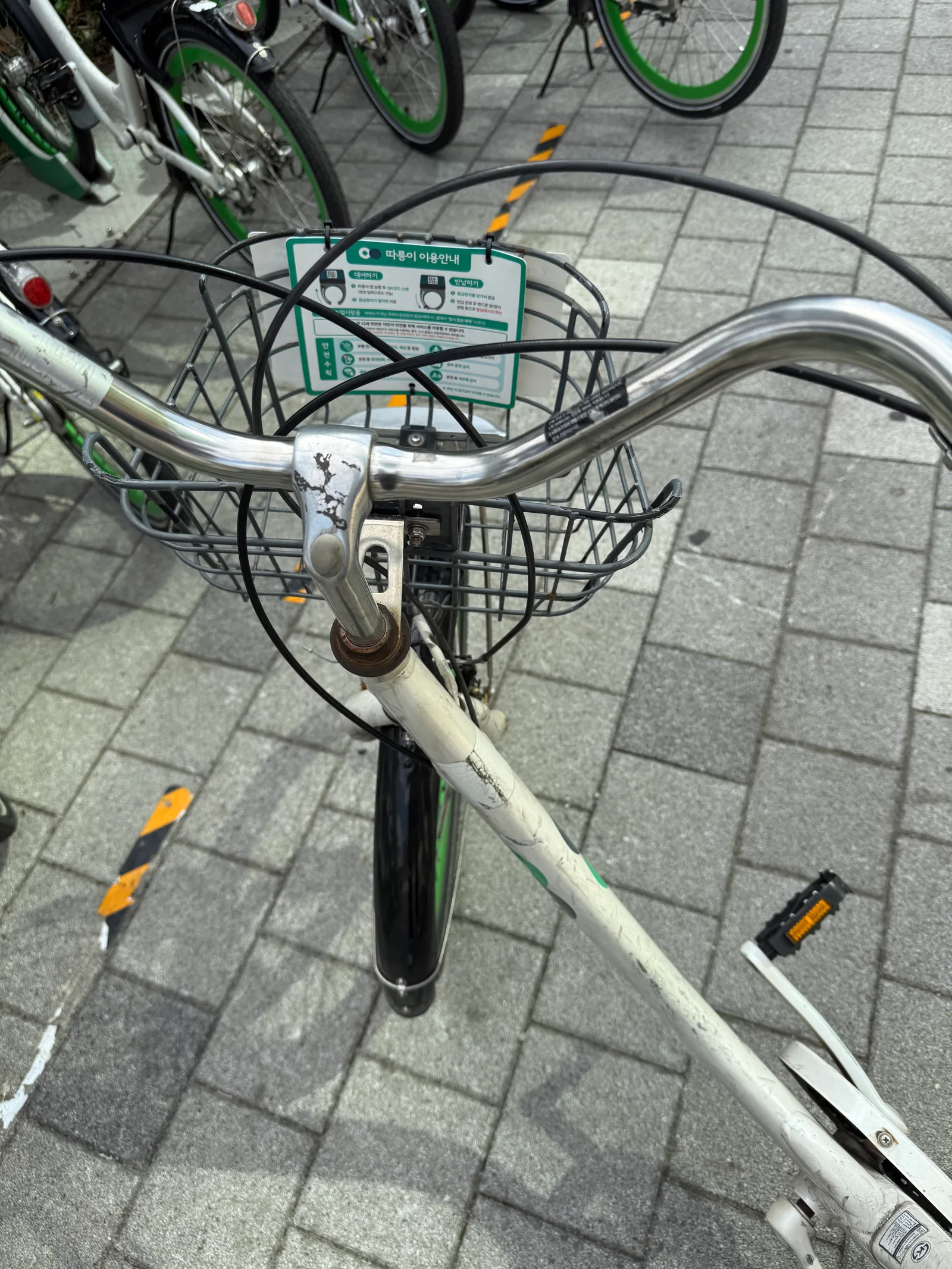 Photo: Bambi (bambiblog.com)
The basket plate lists 대여하기 (rent), 반납하기 (return), 안전수칙 (safety rules) and 임시잠금 (temporary lock).
 Source: www.bikeseoul.com (captured Oct 3, 2026)
Item 03: if the bike is not returned within 4 hours of rental it is treated as stolen and reported to the police; if returning is difficult, call the operations center at 1599-0120.
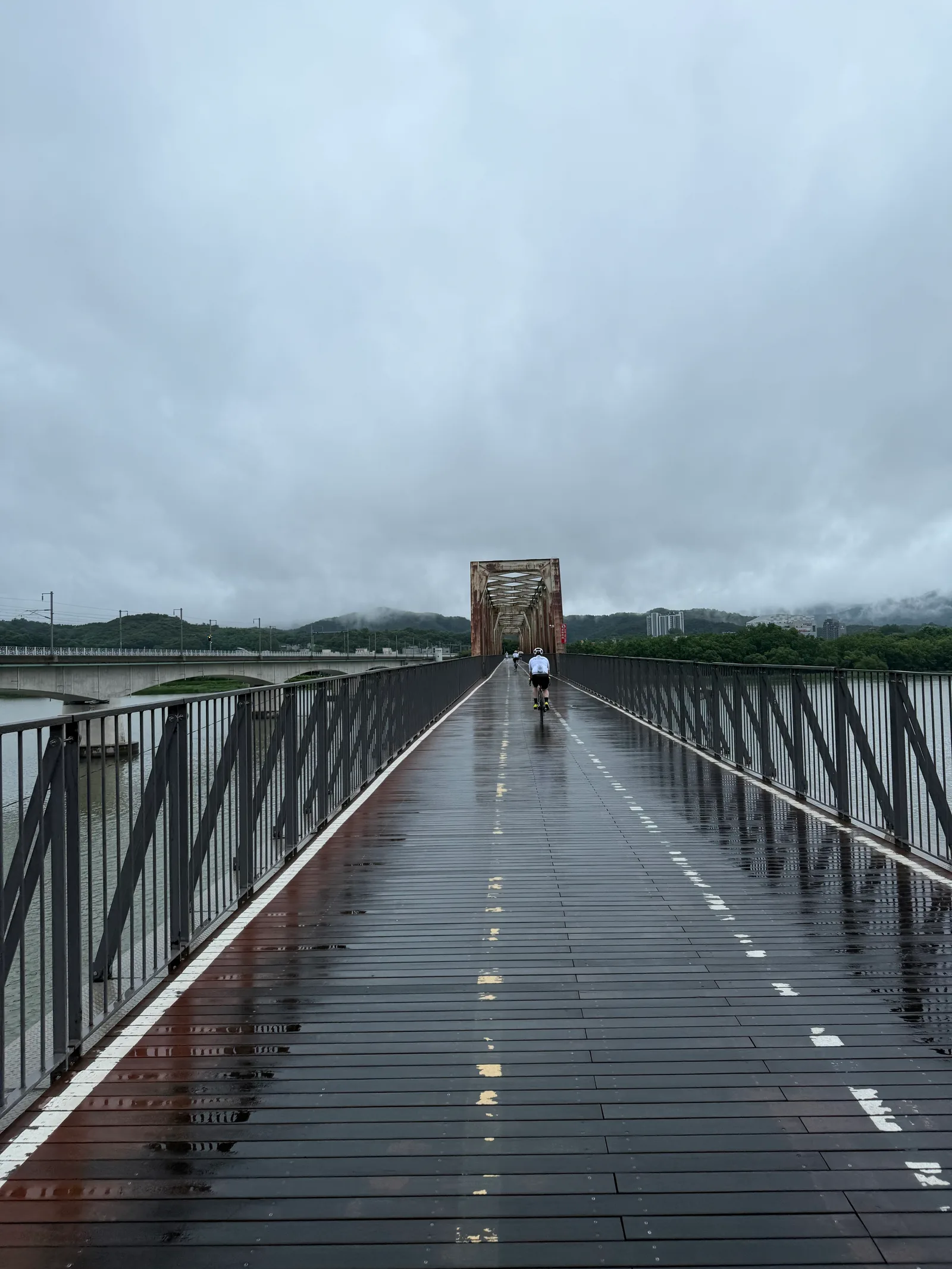 Photo: Bambi (bambiblog.com)
What these screens still don't show, and the parts that annoy
Even in English mode, the user guide and fare pages keep their Korean body text, and the site opens on a station map, so both menus have to be hunted down. Non-members cannot choose the 3-hour pass. Not verified here: the Foreigner path inside the app itself, what happens after a declined card, and the return screen — the two live app screens above come from the Korean view and stop before payment, and the Foreigner screens shown are the illustrations printed in the official guide. Also not verified: the Discover Seoul Pass price and where to buy it, and the meaning of the "20 속도" marking painted on the Han River bike lane, since no official traffic-rule document was checked.
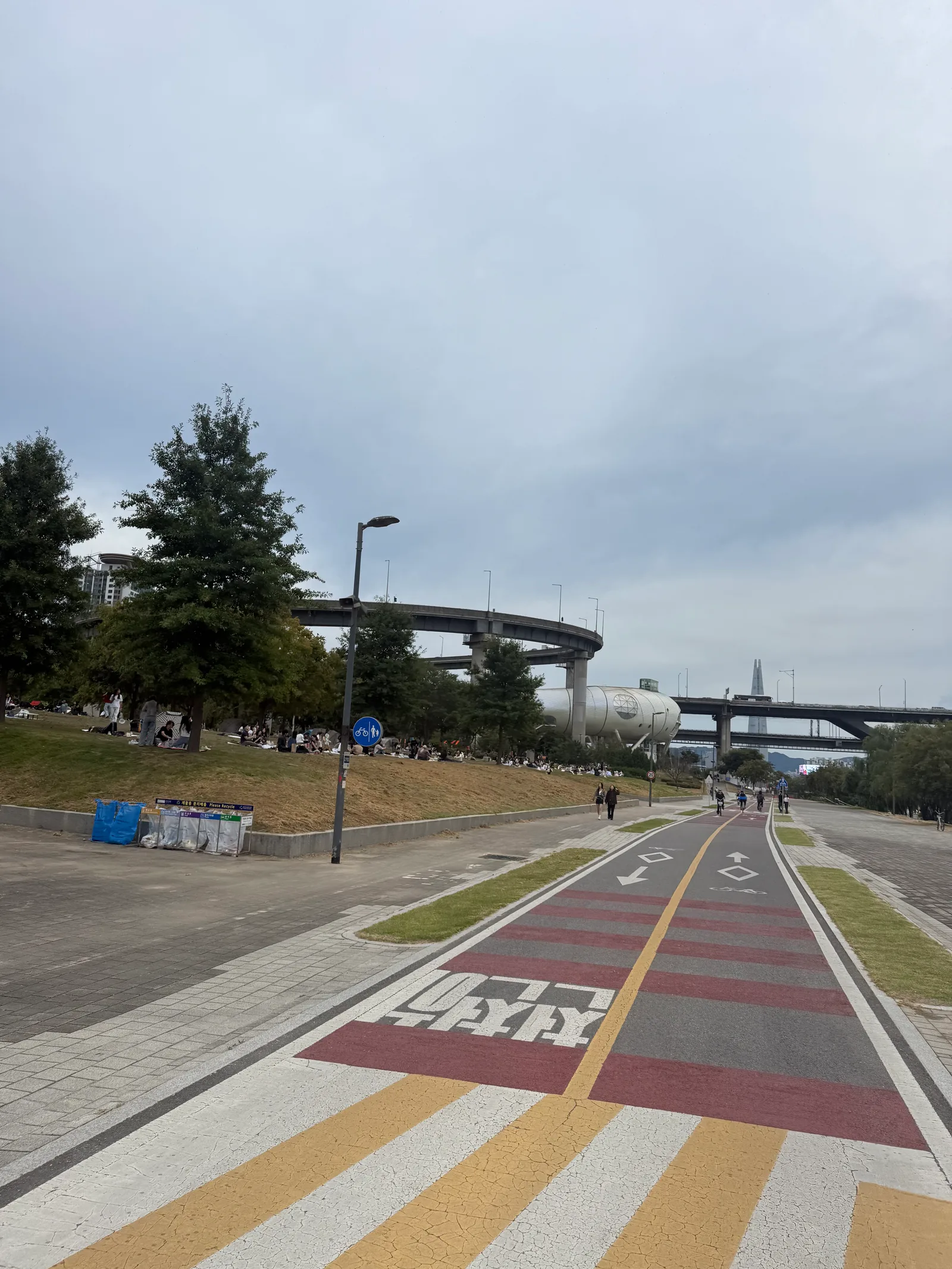 Photo: Bambi (bambiblog.com)
Official site: www.bikeseoul.com (QR bike User Guide, 이용권 사용안내). Operations center: 1599-0120. Before you download, check the current fare table and the Discover Pass terms on that site, since the figures above reflect screens captured on 2026-10-03.

