Lost Something in Korea? Search the Police Found-Item Database in English

The police found-item search in Korea now lives on 경찰민원24 (Police Civil Complaint 24), it works without a login, and it has an English switch — buried in the mobile full menu. This guide follows the path screen by screen as captured on the official mobile site on 2026-10-02, and ends with the exact lines you must copy before travelling to collect anything.
| Item | What the screen showed (2026-10-02) |
|---|---|
| Site | minwon24.police.go.kr, mobile |
| Login for found-item search | Not required |
| Language switch | Inside 전체메뉴 (full menu) → 「Language」 → English |
| Total found items listed | Total of 20,124 items |
| After selecting cell phone | Total of 968 items |
| Help line | 182 / from overseas +82-182 (charged, weekdays 09:00–18:00) |
Step 1. Close the Korean pop-up, open 전체메뉴, switch Language to English
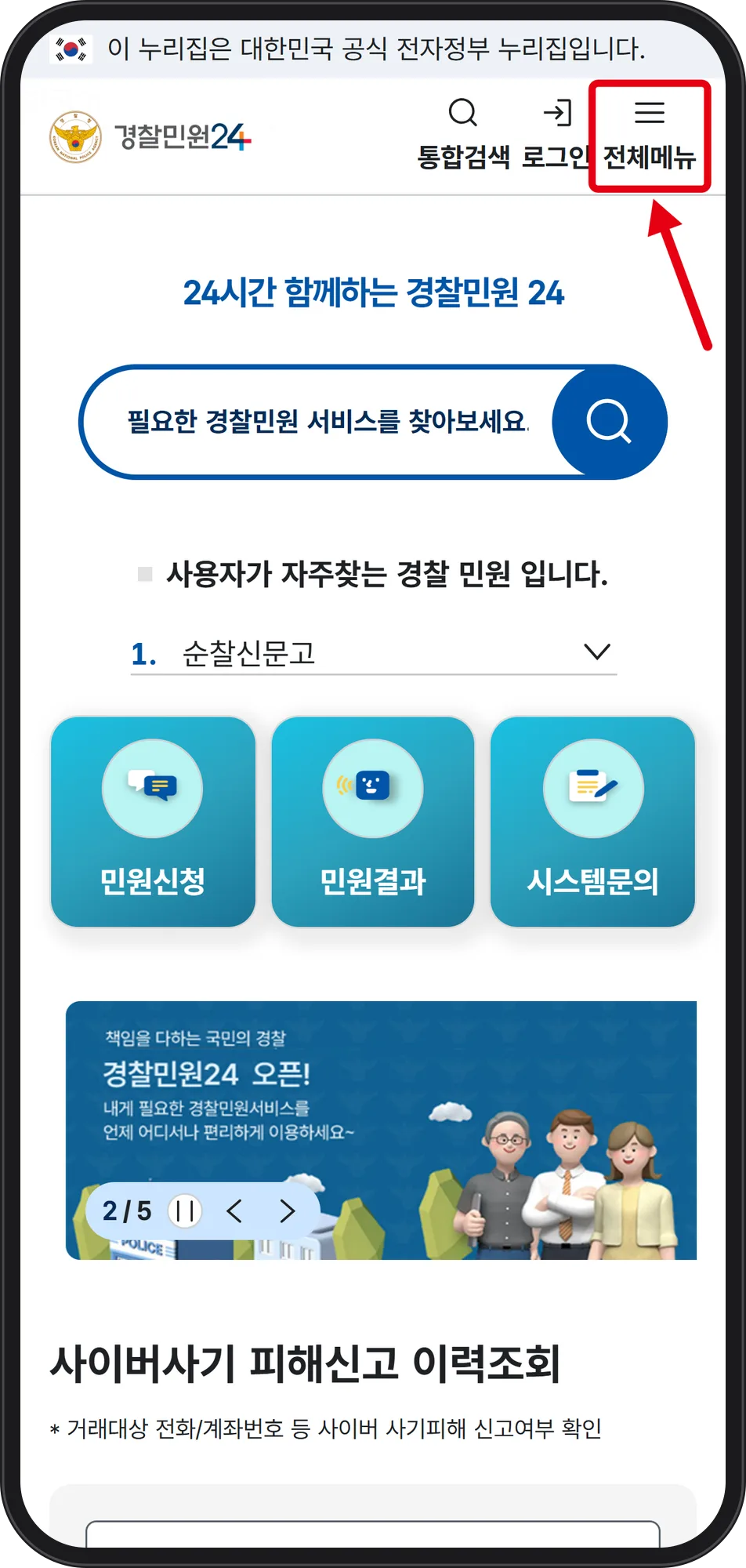
Older guides send you to LOST112. As of the 2026-10-02 capture, the police found-item search sits on 경찰민원24 (Police Civil Complaint 24) at minwon24.police.go.kr. The first screen and the first notice pop-up are in Korean; close the pop-up with 닫기 (close).
 Source: 경찰민원24 (Police Civil Complaint 24) mobile site (captured Oct 2, 2026)
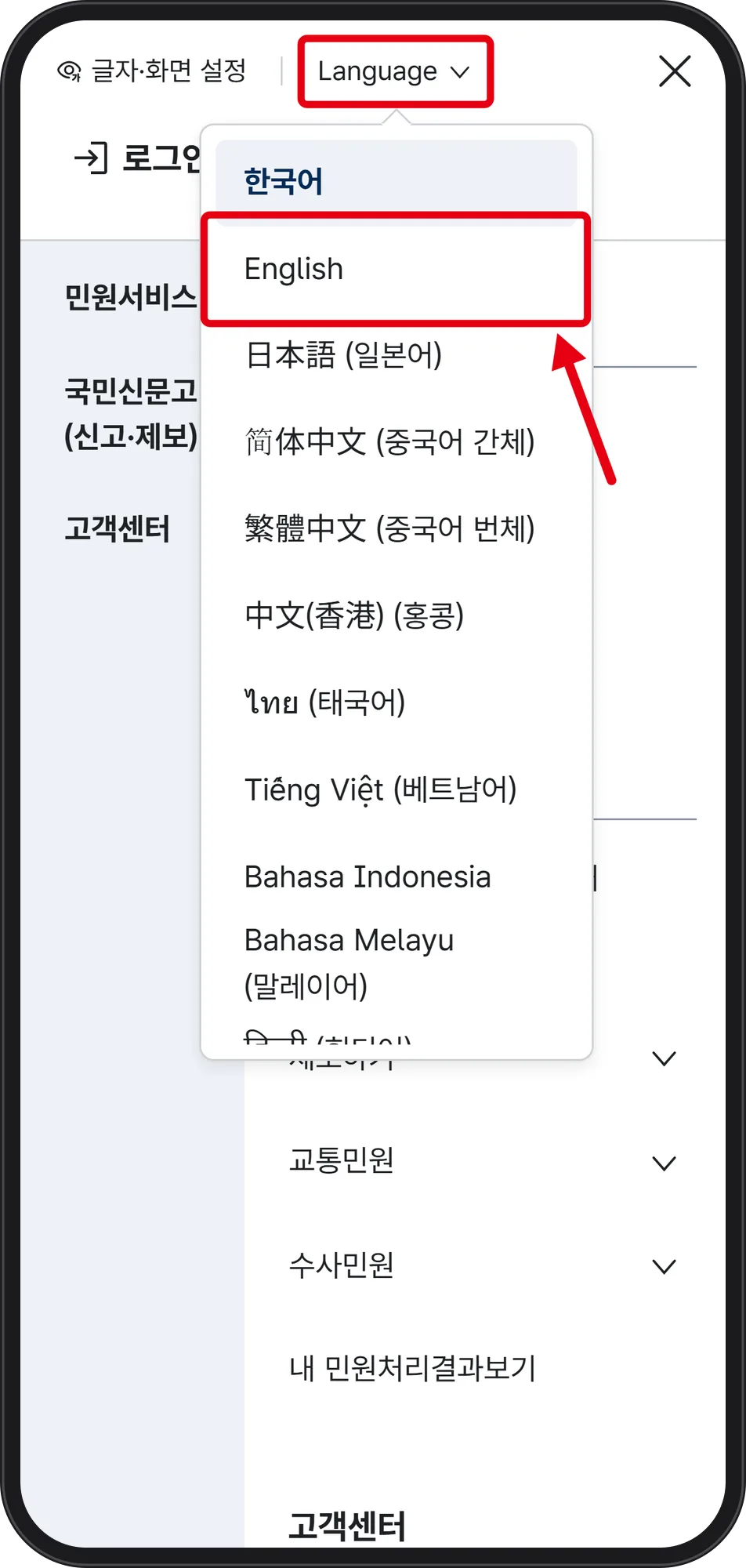
On mobile the language switch exists only inside that hamburger menu marked 전체메뉴 (full menu). Tap it, then tap 「Language」 at the top.
 Source: 경찰민원24 (Police Civil Complaint 24) mobile site (captured Oct 2, 2026)
The list shows 한국어, English, 日本語, 简体中文, 繁體中文, 中文(香港), ไทย, Tiếng Việt, Bahasa Indonesia, Bahasa Melayu. Choose English. Note the site also carries a separate 「For institutions lost article」 menu — that is not the public search.
Step 2. Open the found-item list and the Search Filter
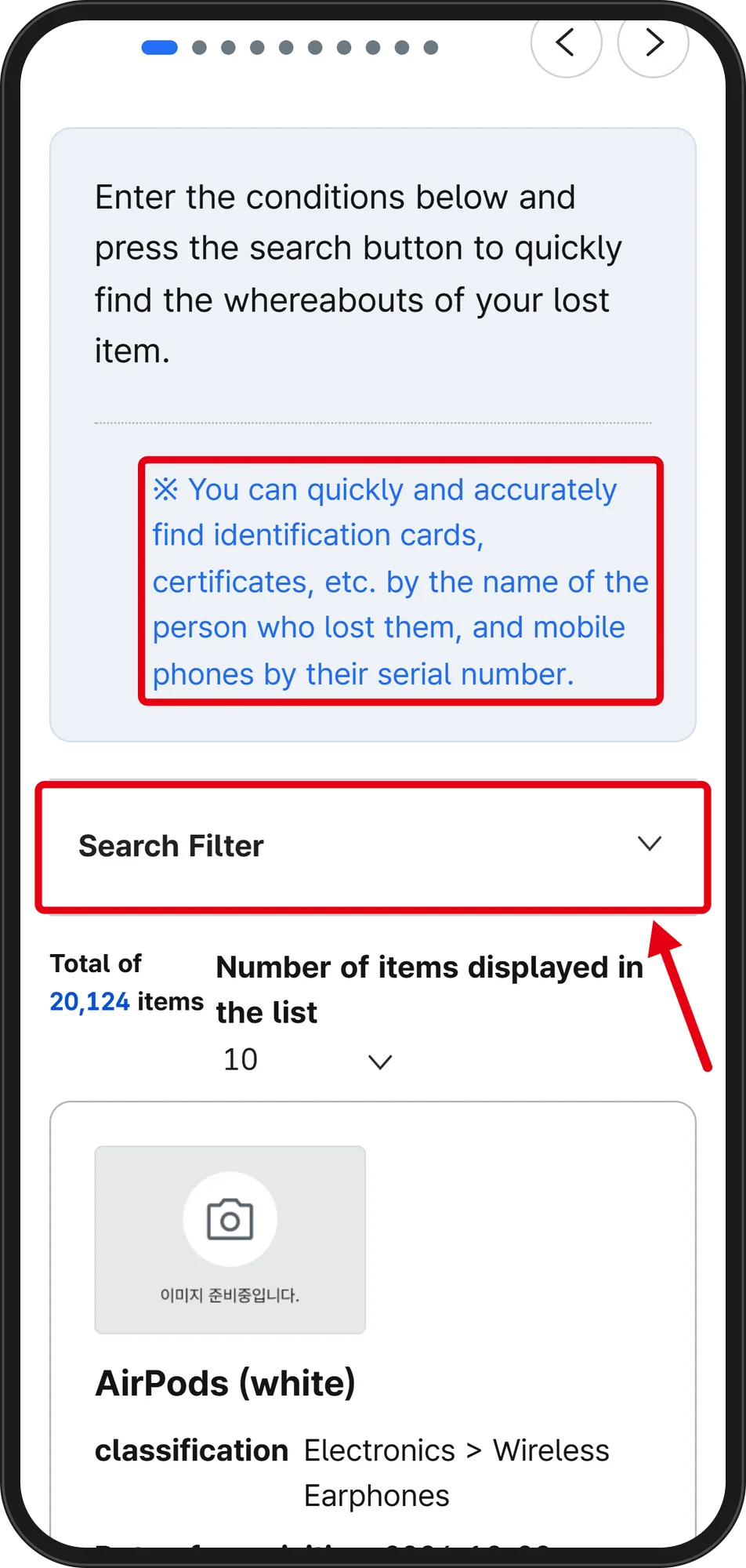
The found-item search runs without an account, and recently registered items appear at the top of the list. On 2026-10-02 the screen read Total of 20,124 items.
 Source: 경찰민원24 (Police Civil Complaint 24) mobile site (captured Oct 2, 2026)
The on-screen guidance says: identification cards and certificates are found fastest by the name of the person who lost them, and mobile phones by their serial number. Many list thumbnails are empty grey boxes reading 이미지 준비중입니다 (image being prepared), so do not judge by photo. 「Search Filter」 is collapsed by default — open it before scrolling 20,000 rows.
Step 3. Choose a main category, and know which boxes still answer only in Korean
 Source: 경찰민원24 (Police Civil Complaint 24) mobile site (captured Oct 2, 2026)
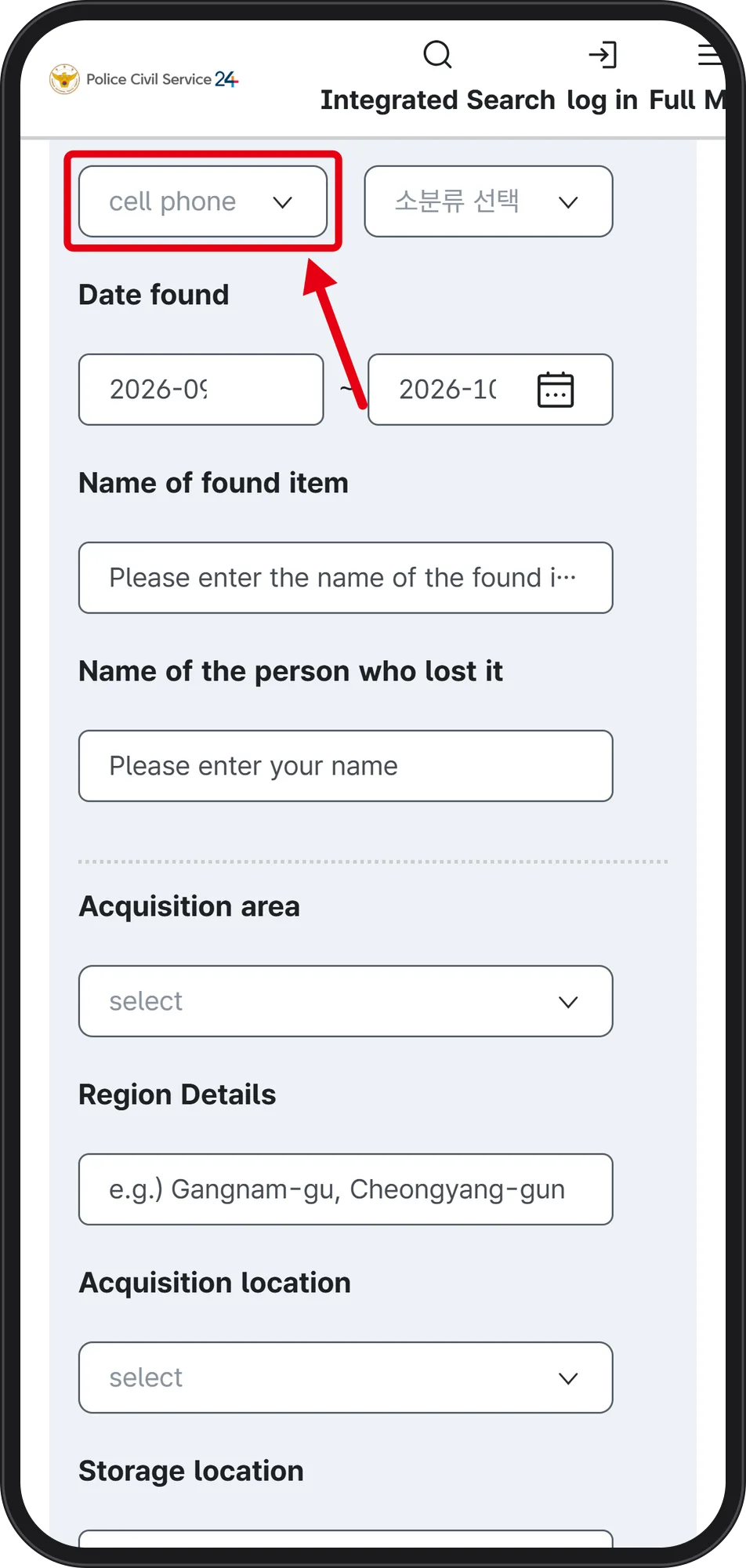
Main categories on the list include bag, precious metals, document, shopping bag, sports equipment, musical instrument, securities, clothes, automobile, electronic devices, wallet, certificate, computer, card, cash, cell phone and Other items. Selecting cell phone narrowed 20,124 to Total of 968 items on 2026-10-02.
Even on the English screen, the sub-category box stayed Korean as 「소분류 선택」 (select sub-category). The other boxes are Date found, Name of found item, Name of the person who lost it, Acquisition area, Region Details, Acquisition location, Storage location and Serial number. The Region Details box shows its own example: "e.g.) Gangnam-gu, Cheongyang-gun".
Step 4. Open View details and copy the management number, storage name and phone
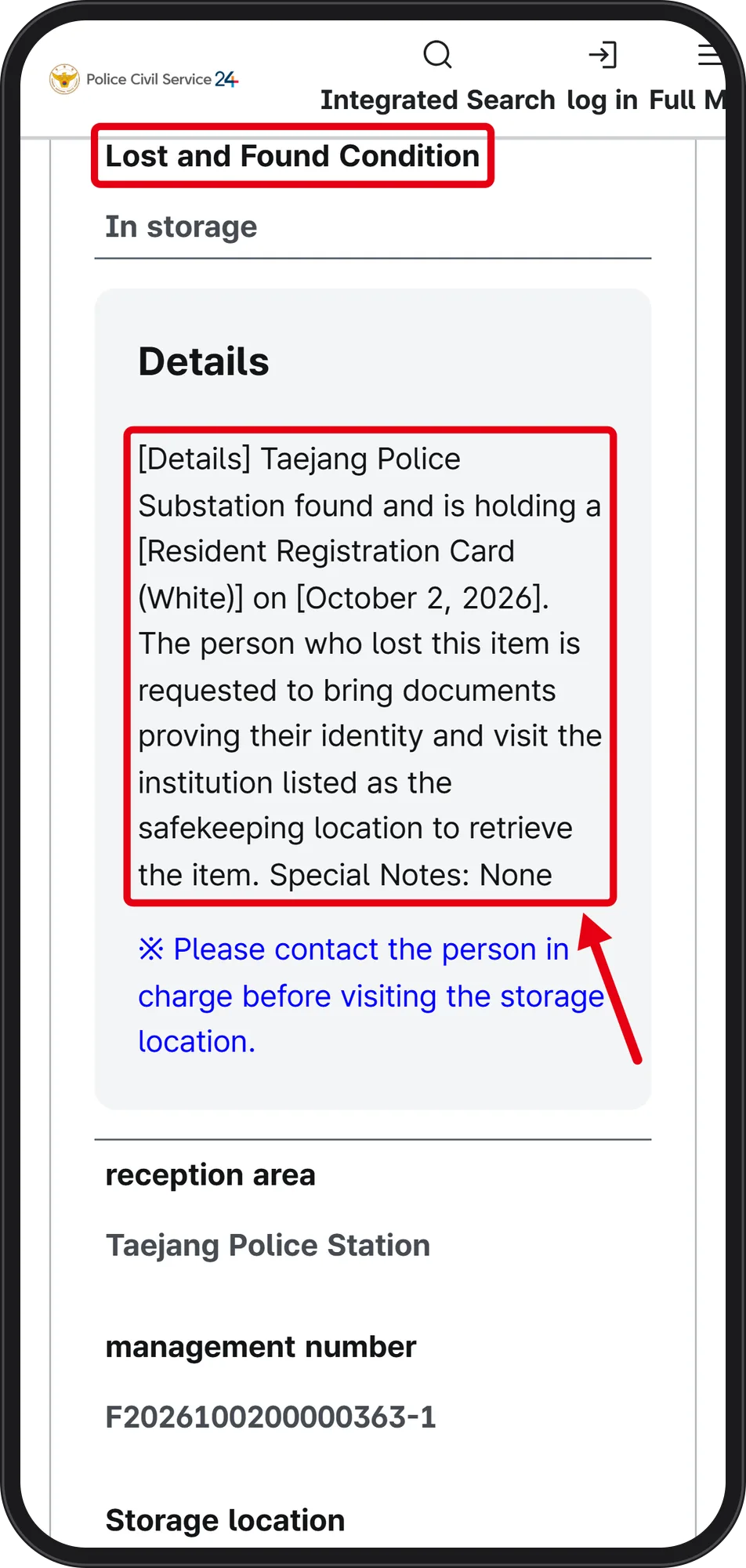 Source: 경찰민원24 (Police Civil Complaint 24) mobile site (captured Oct 2, 2026)
One example detail read: Taejang Police Substation found and is holding a Resident Registration Card (White) on October 2, 2026, with Lost and Found Condition: In storage. The text asks the owner to bring documents proving their identity and visit the institution listed as the safekeeping location.
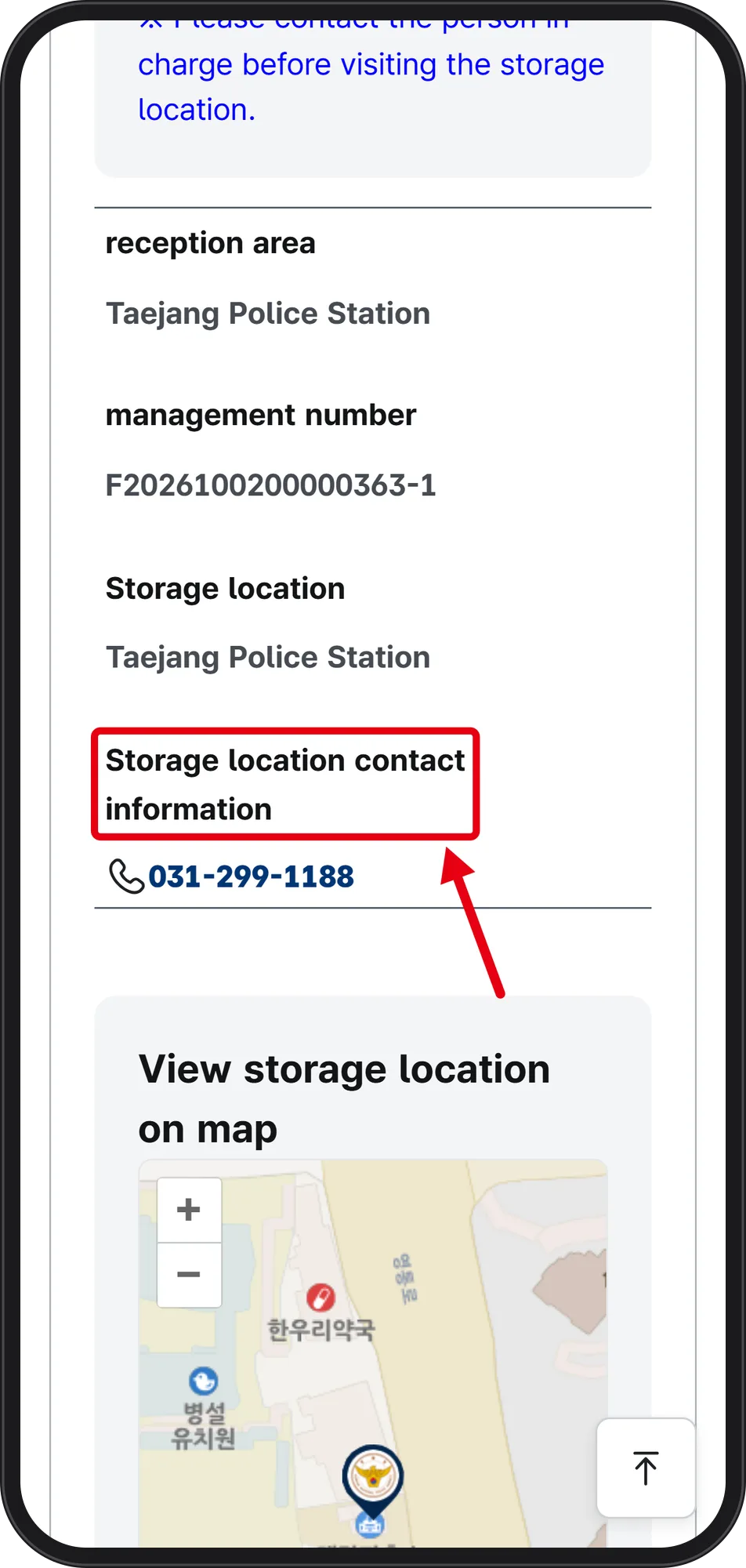 Source: 경찰민원24 (Police Civil Complaint 24) mobile site (captured Oct 2, 2026)
Copy these fields: reception area, management number, Storage location, Storage location contact information and the pin under View storage location on map. The page warns: "Please contact the person in charge before visiting the storage location." Storage locations are not only police stations — the list also showed Sinchang Station (Korea Railroad Corporation), Shinbundang Line Lost and Found Center (Yangjae Station) and Incheon Airport Terminal 2 Station (Airport Railroad).
What this screen does not answer, and the five friction points
The 「Lost and Found declaration」 menu was not opened for this guide, so whether it requires a login, how a foreigner without a resident registration number verifies identity, and what happens to items after the storage period are all unconfirmed here. Incheon Airport's own lost-and-found desk procedure is outside this guide. Owner names are partly masked with * in the list, so an exact name match is not always visible on screen.
Five friction points: the first screen and notice pop-up are Korean; on mobile the language switch is buried inside 전체메뉴; some boxes such as 소분류 선택 stay Korean after switching; the detail page translation lags a few seconds after opening; and the result list depends on the filters, so if nothing matches, widen the Date found range and search again.
Numbers to keep open, and the note to write before you travel
The foot of 경찰민원24 lists the representative number 182, and +82-182 from overseas (charged, weekdays 09:00–18:00).
Before crossing the city, write down five things from the detail page: management number, reception area, storage location name, storage location contact information, and the map pin from View storage location on map. Call the storage location first — the page itself instructs you to contact the person in charge before visiting — and bring documents proving your identity, as the detail text requires. When you call, ask about opening hours and what to bring.


